![logo-primary-accent.png]](https://help.ecomap.tech/hs-fs/hubfs/logo-primary-accent.png?height=48&name=logo-primary-accent.png)
1. Log into app.ecomap.tech and select the Settings Icon in the upper right corner.

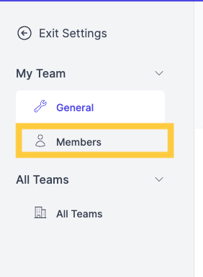
2. From the Settings tab, select Members from the left navigation menu:
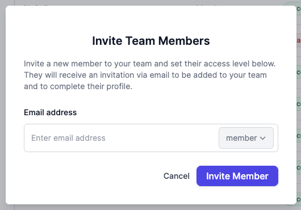
3. To add a new Member to your Team select Invite Member and enter their information.
4. To remove a Member, select Deactivate on the Member you wish to remove.
5. To reinstate a deactivated Member, click Reactivate