![logo-primary-accent.png]](https://help.ecomap.tech/hs-fs/hubfs/logo-primary-accent.png?height=48&name=logo-primary-accent.png)
1. Log in to Discover Admin and navigate to Data Library
2. From Collection Selector drop down, select the collection that you intend to use for your map embed or create a new one.
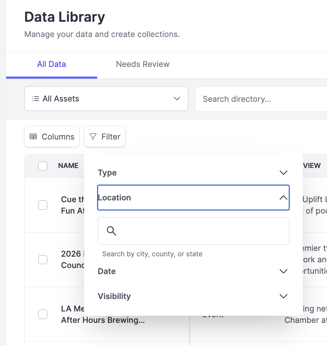
3. Under Filters, select Location and apply whatever location you are trying to constrain your map to.
4. Save!
2. From Collection Selector drop down, select the collection that you intend to use for your map embed or create a new one.
3. Under Filters, select Location and apply whatever location you are trying to constrain your map to.
4. Save!